2022年4月16日
🌵hexo博客排错手册
😶🌫️推荐选项
- 我建议之前前端一点都不了解的 我建议入坑后6个月再魔改
- 什么都不了解最好不要魔改
- 我在这里是根据 https://akilar.top/ 的群进行解答 有问题可以问 但是必须是任何搜索平台搜不到的并且不能太幼稚~~不能惯着懒宝宝~~
- akilar yyds
💁如何提问
报错最主要看的是
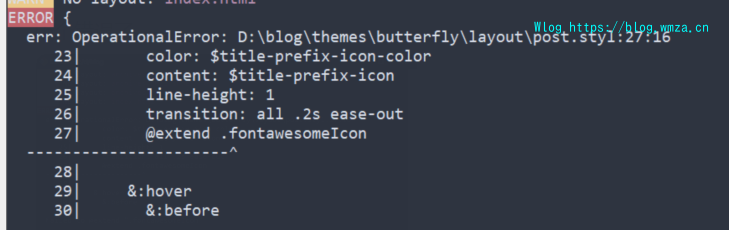
前面这一段 能提供全的就提供全一些的 这样更好判断
比如spawn failed问题
这个地方只有这里和下面一般是没什么大用处
这里我引用了下洪哥 Hexo错误:spawn failed的解决方法 | 张洪Heo (zhheo.com) 他这个下面的错误应该不能直接猜 但是为了方便还是猜一猜吧doge
需要看上边的地方

🧑💻基础错误
spawn failed
Hexo错误:spawn failed的解决方法 | 张洪Heo (zhheo.com)有现成的
Type error 或 TypeError: Cannot read property ‘xxx‘ of undefined
直译:TypeError:无法读取未定义的属性“ xxx”
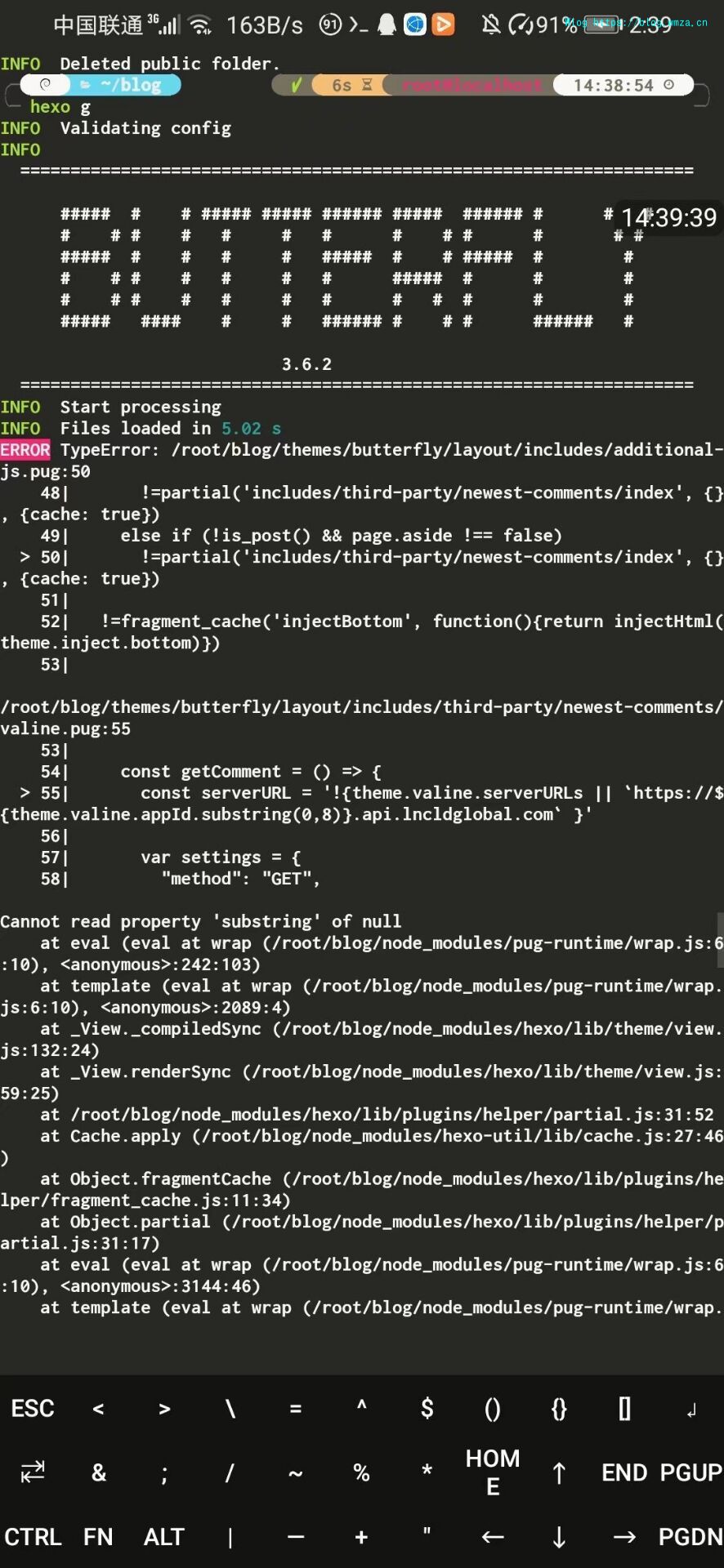
例如这个问题 就是这个'xxx'没有定义 且这个问题可以在百度搜索到

也是这个问题
extends includes/layout.pug block content #recent-posts.recent-posts include includes/recent-posts.pug include includes/pagination.pug #aside_content.aside_content include includes/aside.pug
hexo s后进入网页显示的 运行
npm install hexo-renderer-pug hexo-renderer-stylus --save or `yarn add hexo-renderer-pug hexo-renderer-stylus
link.yml的一个问题
ERROR D:\Desktop\orxing-blog\themes\Butterfly\layout\flink.pug:2
    1| .flink
  > 2|   each i in site.data.link
    3|     p.comment-word= i.class_name
    4|     .post-cards
    5|       ul.md-links

Cannot read property 'length' of undefined
TypeError: D:\Desktop\orxing-blog\themes\Butterfly\layout\flink.pug:2
    1| .flink
  > 2|   each i in site.data.link
    3|     p.comment-word= i.class_name
    4|     .post-cards
    5|       ul.md-links

Cannot read property 'length' of undefined
    at eval (eval at wrap (D:\Desktop\orxing-blog\node_modules\pug-runtime\wrap.js:6:10), <anonymous>:1890:32)
    at eval (eval at wrap (D:\Desktop\orxing-blog\node_modules\pug-runtime\wrap.js:6:10), <anonymous>:2017:4)
    at template (eval at wrap (D:\Desktop\orxing-blog\node_modules\pug-runtime\wrap.js:6:10), <anonymous>:10152:72)
    at Theme._View.View._compiled (D:\Desktop\orxing-blog\node_modules\hexo\lib\theme\view.js:123:48)
    at Theme._View.View.View.render (D:\Desktop\orxing-blog\node_modules\hexo\lib\theme\view.js:29:15)
    at D:\Desktop\orxing-blog\node_modules\hexo\lib\hexo\index.js:349:21
    at tryCatcher (D:\Desktop\orxing-blog\node_modules\bluebird\js\release\util.js:16:23)
    at D:\Desktop\orxing-blog\node_modules\bluebird\js\release\method.js:15:34
    at RouteStream._read (D:\Desktop\orxing-blog\node_modules\hexo\lib\hexo\router.js:123:3)
    at RouteStream.Readable.read (_stream_readable.js:457:10)
    at resume_ (_stream_readable.js:936:12)
    at processTicksAndRejections (internal/process/task_queues.js:84:9)
解决:修改link.yml的空格
err: Error: listen EADDRINUSE: address already in use : : :4000
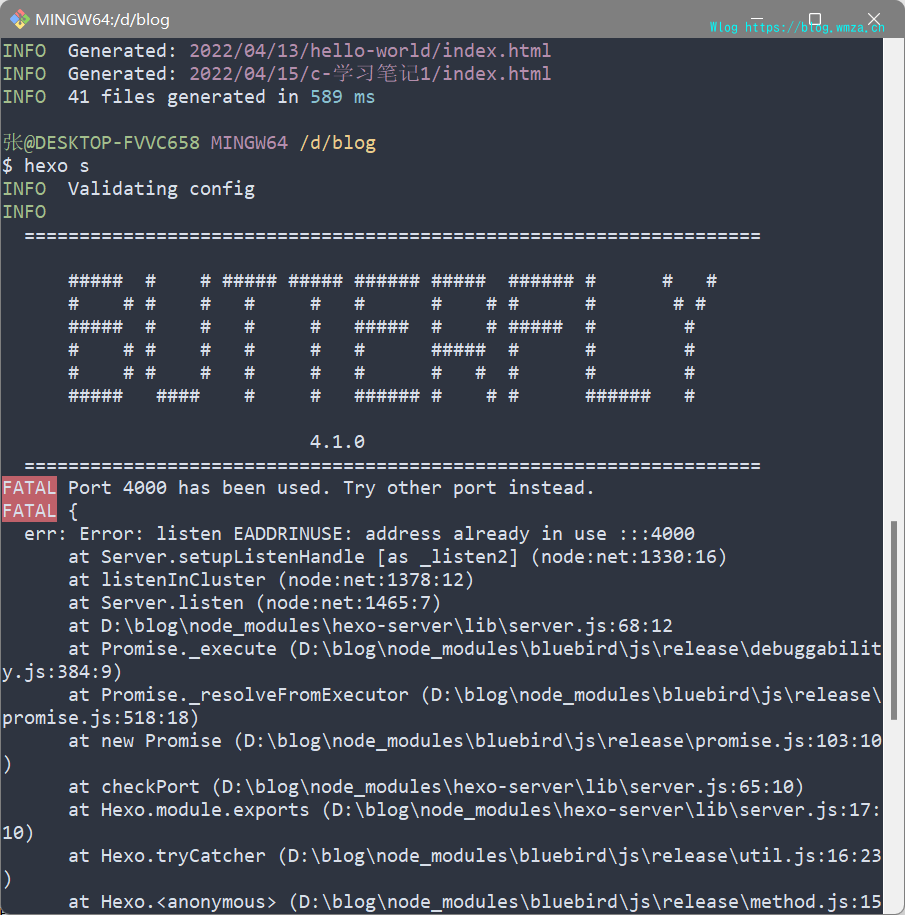
端口被占用了 hexo换一个端口或者是关闭占用端口的应用
hexo s -p 80
TypeError: expected rgba or hsla; but got ident : $theme- color
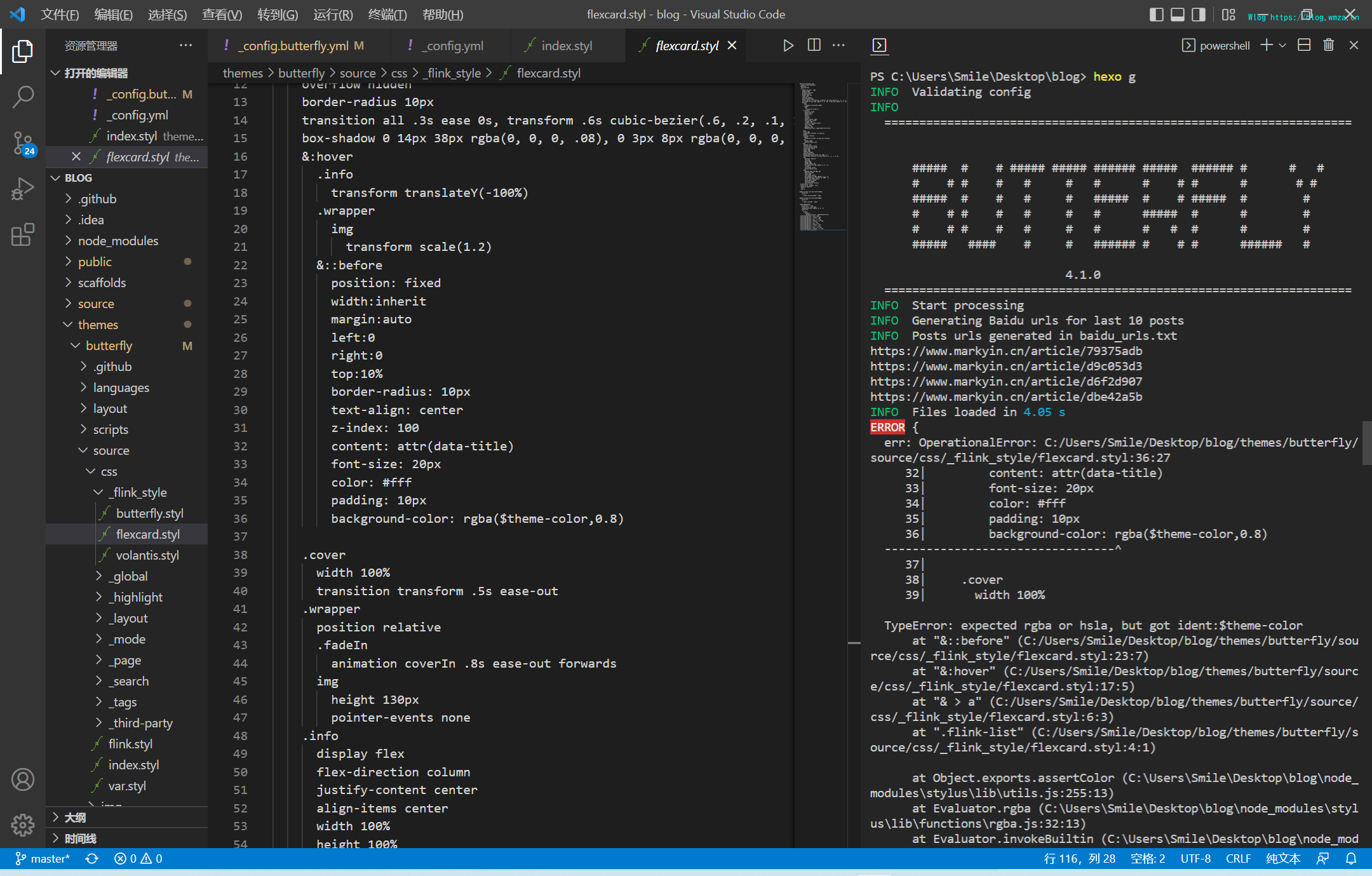

一般情况
主题配置文件的theme_color配置项。把注释取消掉。
💁怎么帮助我们
~~别帮倒忙就行了~~
在akilar的群中进行提问或在评论区进行提问 (不要老是麻烦店长 @我就行[doge]